


Comprehensive Computer Learning (With Youtube AV)

Key Highlights
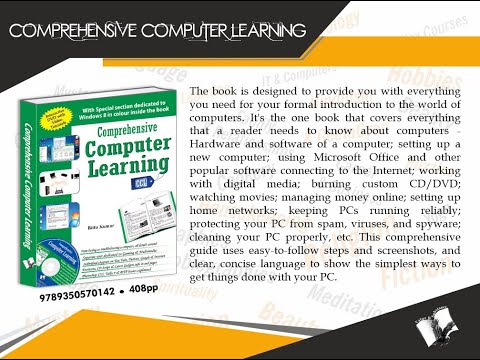

Key Highlights

Key Highlights

Key Highlights

Key Highlights

Key Highlights

Key Highlights

Key Highlights


V&S Publishers Comprehensive Computer Learning (With Youtube AV) ...more
Buy at ₹155
Apply offers for maximum savings
Apply offers for maximum savings!
Product highlights
Height
133 mm
Length
108 mm
Weight
250 gr
Title
Comprehensive Computer Learning (With Youtube AV)
Imprint
V&S Publishers
Exam
School Exam Guides
Table of Contents
Contents:
Section?I Introduction to Computer
Chapter 1 ? An Introduction
Chapter 2 ? The First Steps
Chapter 3 ? Mastering I/O Devices
Section?II Managing Your Computer
Chapter 4 ? Windows, GUI & Operating System
Chapter 5 ? Personalizing Windows
Chapter 6 ? Creating & Managing User Accounts
Chapter 7 ? Managing Disk, Folders & Files
Chapter 8 ? Running Installing & Re-installing Programs
Chapter 9 ? Installing & Managing Additional Hardware Devices
Chapter 10 ? Windows Inbuilt Games, Applications, Accessories, Word Processors
Chapter 11 ? Networking and Basics of Internet
Chapter 12 ? Disk Operating System (DOS)
Section?III Getting Down to Business
Chapter 13 ? Installing MS Office 2010
Chapter 14 ? Introduction to MS Office Programs
Chapter 15 ? Get more from MS Office
Chapter 16 ? Welcome to MS Word 2010
Chapter 17 ? DTP using MS Word
Chapter 18 ? Welcome to Microsoft PowerPoint 2010
Chapter 19 ? Welcome to MS Excel
Chapter 20 ? Welcome to Publisher
Chapter 21 ? MS Outlook
Chapter 22 ? Adobe Photoshop
Chapter 23 ? Tally 9 Basics
Section?IV Going Digital with Music, Photos, & Video
Chapter 24 ? Music
Chapter 25 ? Photos
Chapter 26 ? Videos and Media
Chapter 27 ? Gaming
Section?V Tapping the Power of the Internet
Chapter 28 ? Getting Wired to the Internet
Chapter 29 ? Google Search, Email and More
Chapter 30 ? YouTube
Chapter 31 ? Twitter
Chapter 32 ? Communicating One-on-One in Real Time
Chapter 33 ? Saving and Making Money Online
Chapter 34 ? Blogs & Web Page
Chapter 35 ? Internet Safety
Section?VI Maintaining/Troubleshooting your Computer
Chapter 36 ? Maintenance/Troubleshooting
Section?VII Add-Ons
Chapter 37 ? Texting Slang
Chapter 38 ? Emoticons
Product Form
Paperback


Hang on, loading content